 Everything Zediaph gives you
So much more than build guides.
Every build on the site opens as a full 3D guide in your browser, with the tools you need to finish it in survival. Free members open 3 builds a day; Patreon members get unlimited guides, the Village Planner and the schematic files.
- 936
- Builds with a 3D guide
- 12
- Languages
- 3
- Free 3D guides a day
What's inside
Tap any of these to jump to the details.
 3D build guidesSpin it, zoom in and build it step by step.Free
 Layer by layerOne layer at a time, from the ground up.Free
 Material listsEvery block counted, with a checklist.Free
 Floor plansTop-down plans you can print.Free
 Night mode and palettesSee it at night and in other woods.Free
 Village plannerLay out a whole village first.Patreon
 Share your buildsUpload a build, get a 3D guide for it.Free
 Schematics on PatreonThe files, one paste away.Patreon
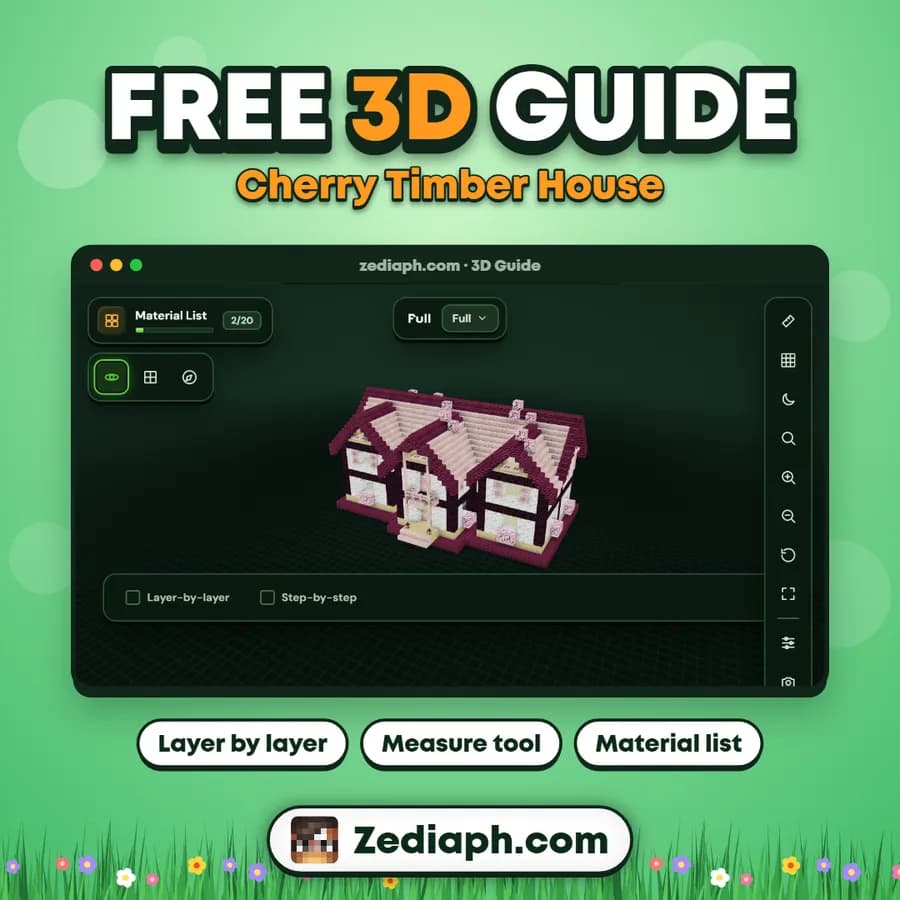 3D build guides
Turn it around, then build it.
Every build opens in your browser as a real 3D model made from Minecraft's own textures. Go through it in the order you would really place the blocks, on a computer or on your phone beside the console.
- Step-by-step mode in real build orderFree
- Click any block for its nameFree
- Search a block and jump to where it goesFree
- Explore mode: walk inside the buildFree
- Works on phones and tabletsFree
- Light and dark backgrounds, screenshotsFree
- Patreon members: every build, as often as you likePatreon
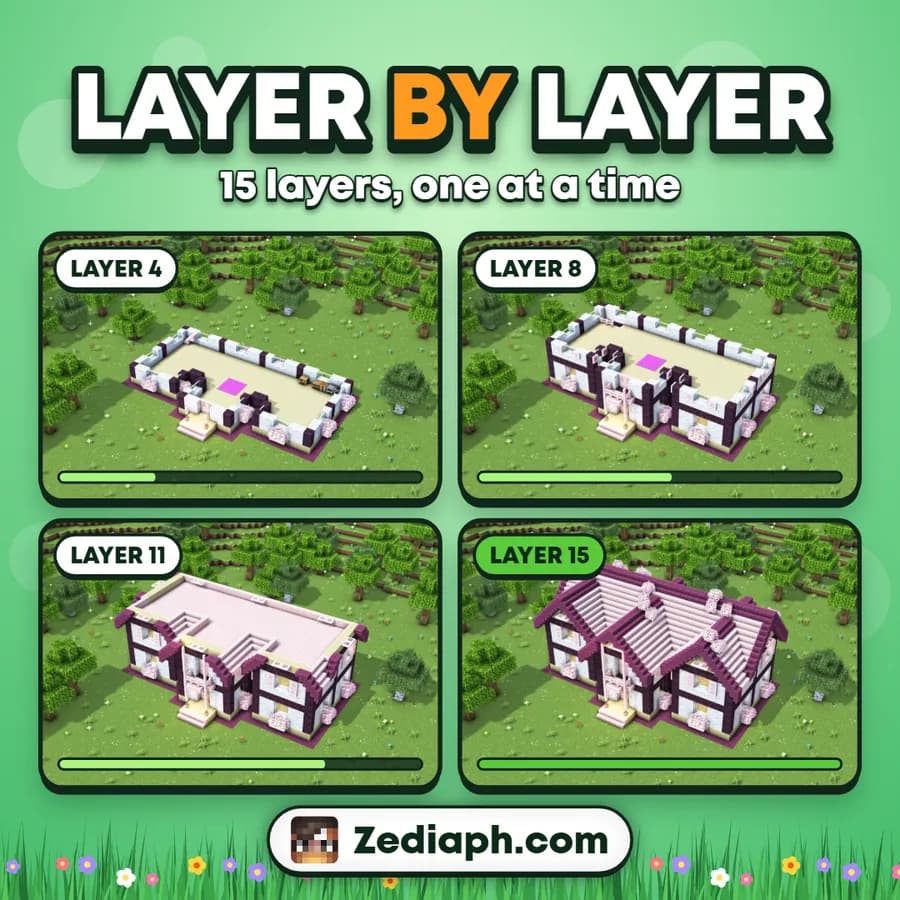 Layer by layer
One layer at a time.
Slide through the build from the bottom up. Each layer shows exactly which blocks go where, with the layer below faded so you never lose your place.
- Layer slider with play buttonFree
- The layer below stays visible as a guideFree
- Scaffold hints for blocks that need supportFree
- Measure tool for any distanceFree
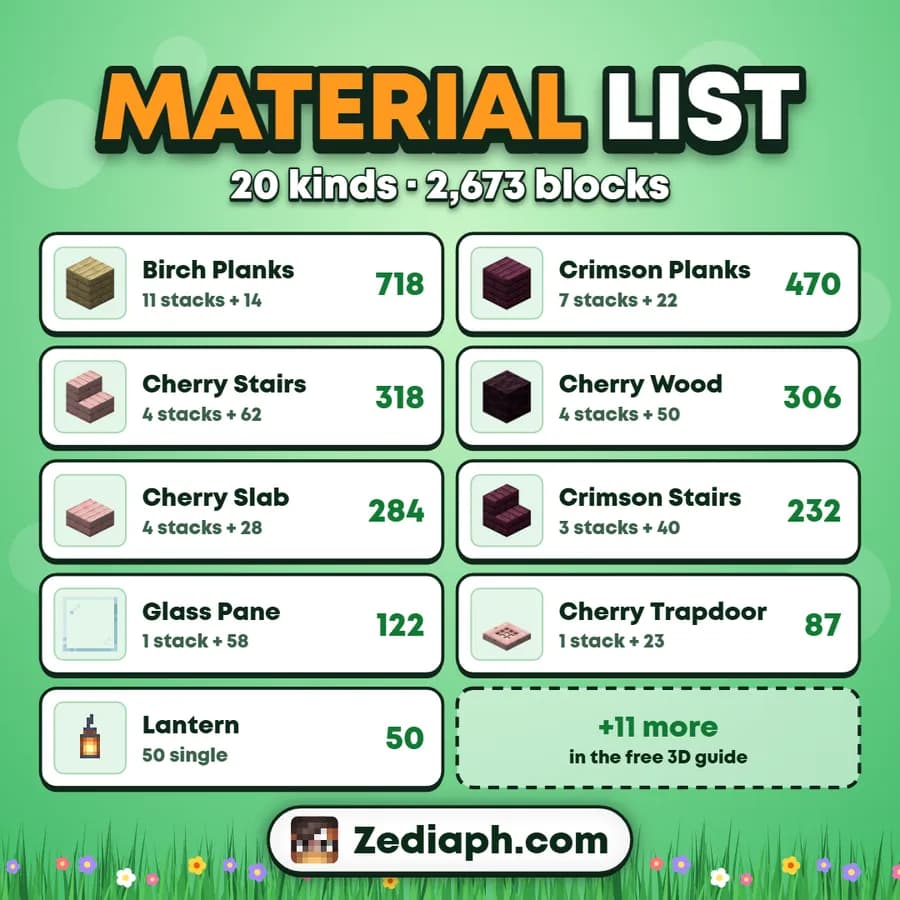 Material lists
Know what to gather first.
Each build lists every block it needs, counted from the real file. Tick them off as you gather, and see the raw materials behind crafted blocks.
- Interactive checklist that remembers your progressFree
- Raw materials: planks become logsFree
- Block icons from the gameFree
- The same list inside the 3D guideFree
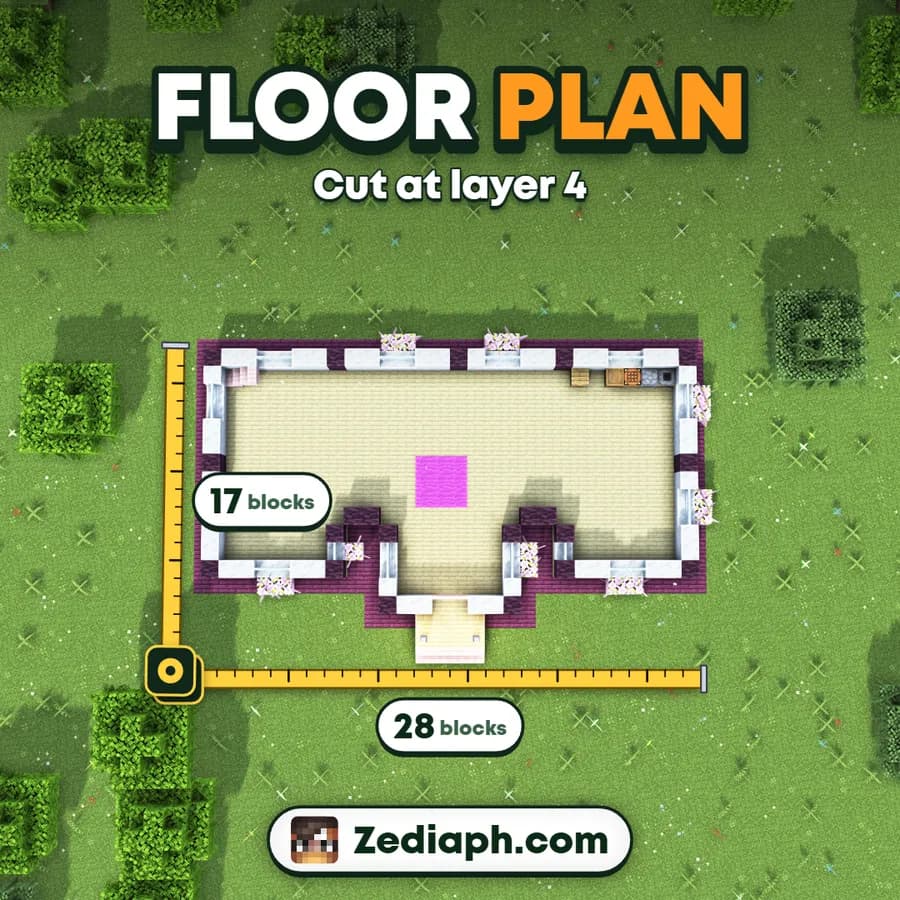 Floor plans
Plans you can print.
Print any layer as a clean top-down blueprint, or the whole build page by page, and build off-screen like a real architect.
- Printable top-down blueprint of any layerFree
- All layers at once, in portrait or landscapeFree
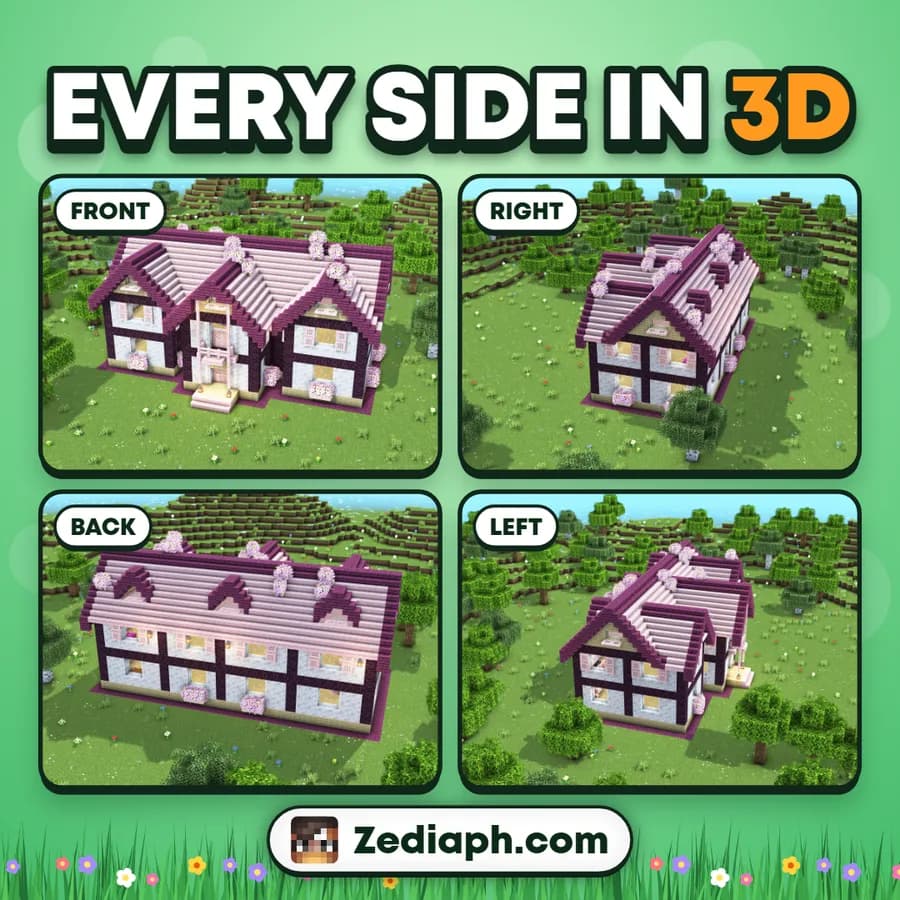
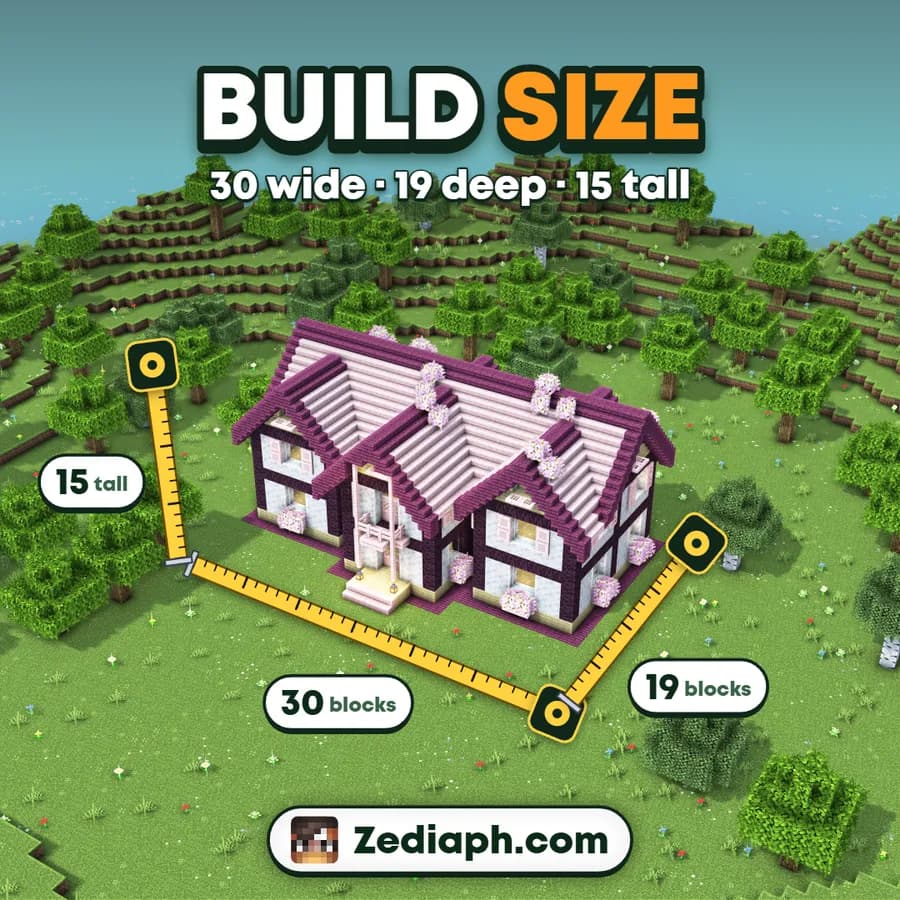
- Floor plan and size pictures on every buildFree
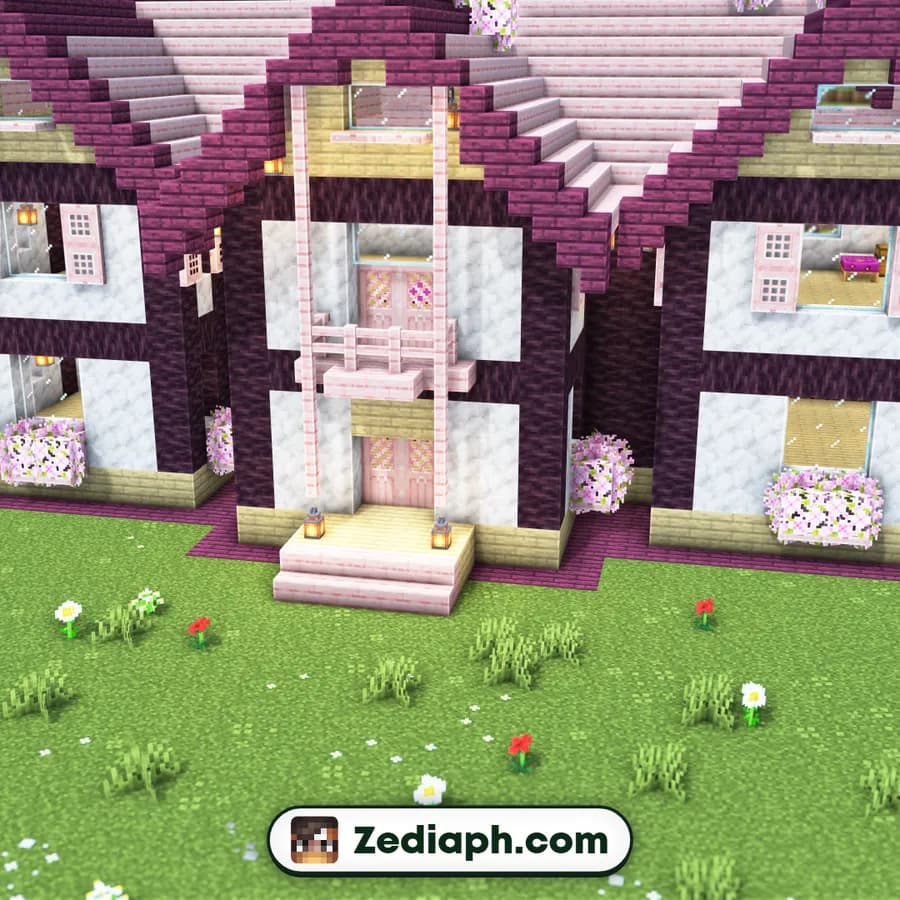 Night mode and palettes
See it at night, in any wood.
Switch the guide to night and the build lights up with its own lanterns and torches. Try the build in another wood type before you start.
- Night mode lit by the build's own lightsFree
- Wood palette preview: swap oak for spruce, cherry and moreFree
- Signs, banners and pots show their real detailsFree
 Village planner
Plan a whole village.
Drag builds onto a plot, turn them, draw paths between them and walk your village in 3D before you place a single block. One material list covers the lot. Included with every Patreon tier.
- Drag builds onto a plot and draw pathsPatreon
- One combined material list for the villagePatreon
- Walk it in 3D and save it as an imagePatreon
 Community
Show the world what you built.
Sign in with Discord and upload your own .litematic, .schem or .nbt. The site makes its cover and full 3D guide for you, and your profile shows everything you have shared.
- Upload .litematic, .schem and .nbt filesFree
- Automatic cover and 3D guideFree
- Your own profile with your socialsFree
- Favorites saved to your accountFree



 Schematics
Put it in your world in one paste.
The guides stay free. If you want the build in your world straight away, the schematic and world downloads are on Patreon, and every tier comes with a Discord role on the Zediaph server.
- Litematica schematic (.litematic) for every buildPatreon
- Java and Bedrock world downloadsPatreon
- A Discord role for your tierPatreon
- Support the team that films every buildPatreon
 Patreon
Free vs Patreon
Free members build with 3 guides a day. Patreon members get every guide, the planner and the files.
Stop scrolling. Start building.
Pick a build, open its free 3D guide and place your first block. When you want the files, they are waiting on Patreon.